
MRP in Business Central: A Guide to Smarter Inventory
If you run a manufacturing operation, you already know the tension: carry too much inventory and you tie up cash; carry too little and you risk stalling the production line waiting on a part. Material Requirements Planning (MRP) is the discipline and, within Business Central, the tool set that is designed to resolve that tension automatically. Translating what you need to sell into exactly what you need to buy and build, and when.
This article walks through what MRP actually does, how Business Central puts it into practice, and why getting it configured correctly is one of the highest-leverage investments a manufacturer can make.
What MRP Is Actually Solving For
At its core, MRP answers three questions for every item you stock or produce:
- What do I need? (based on sales orders, forecasts, and production demand)
- When do I need it? (based on lead times and due dates)
- How much do I already have or already have coming? (based on on-hand inventory and open supply orders)
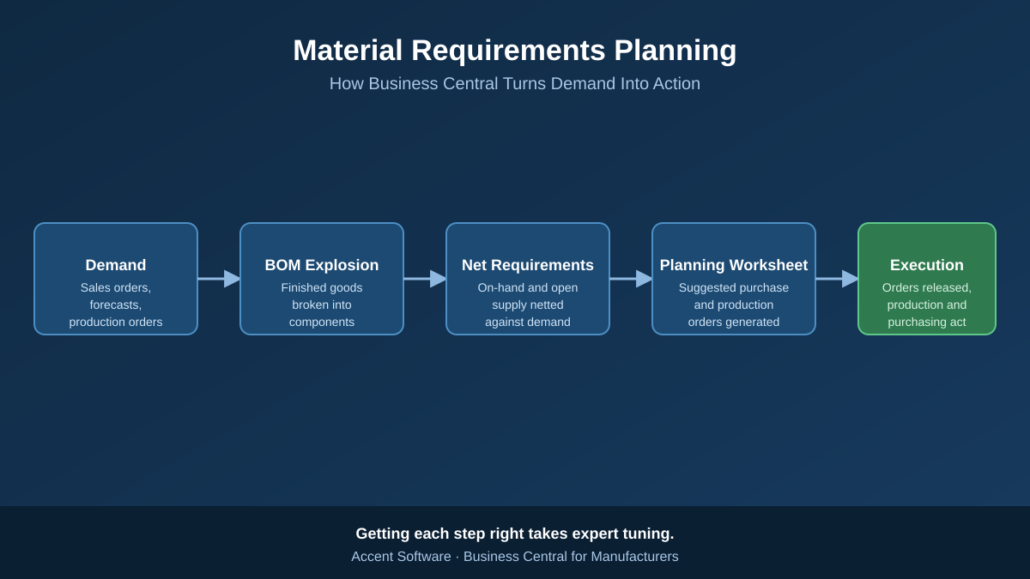
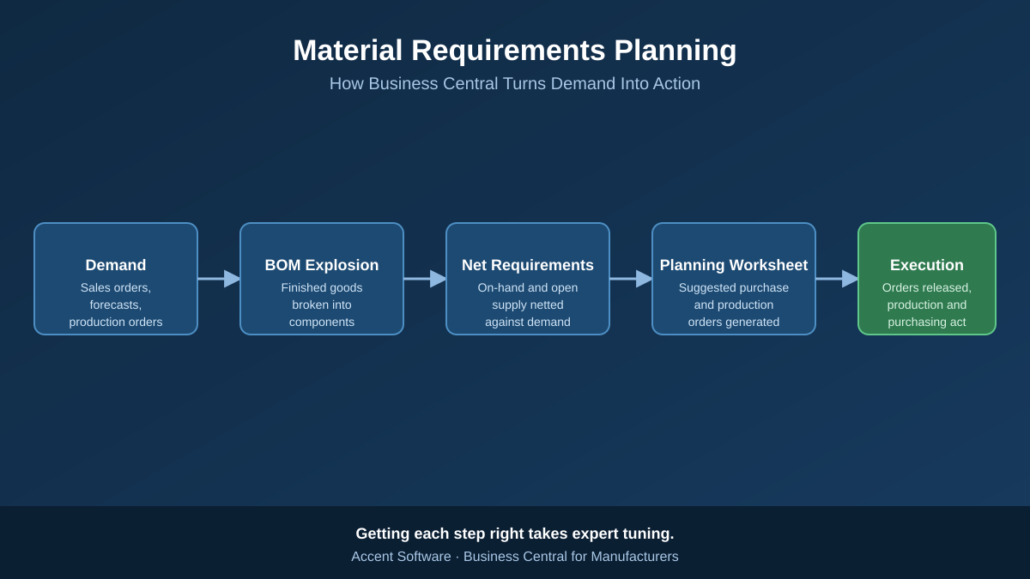
MRP takes those three inputs and calculates the gap, the net requirement, then recommends specific actions to close it: place a purchase order, release a production order, or reschedule something already in motion.
How Business Central Runs MRP
Business Central’s planning engine automates this calculation through a few connected pieces:
- Bills of Materials (BOMs) define what components and sub-assemblies go into a finished item, so the system can “explode” demand for a finished good down through every level of its structure.
- Demand sources — sales orders, forecasts, and inter-company or production demand, feed the engine what’s actually needed.
- Item cards hold the planning parameters (reorder policy, lead time, safety stock, lot sizing) that tell the engine how to respond to a shortage.
- The Planning Worksheet is where it all comes together. Running MRP (or the Calc. Regenerative Plan batch job) populates this worksheet with suggested purchase and production orders, along with reschedule and cancellation messages when existing supply no longer matches demand.
- Action and exception messages flag when the plan changed, a due date moved, a quantity dropped, a new shortage appeared, so planners know exactly what to review rather than re-analyzing the entire schedule from scratch.
Done well, this turns planning from a spreadsheet-and-gut-feel exercise into a repeatable, auditable process that keeps pace with a changing order book.
Where MRP Configurations Commonly Go Wrong
MRP is powerful, but it’s also unforgiving of bad inputs. A few of the most common issues we see in the field:
- Reorder policies set inconsistently across items, so some parts are planned with precision while others are essentially ignored by the engine.
- Inaccurate lead times, which either trigger orders too late (causing shortages) or too early (inflating inventory).
- Bloated or stale planning parameters, safety stock, minimum order quantities, and lot sizing rules that were set once and never revisited as demand patterns changed.
- Planning worksheets full of noise, where hundreds of cancel/reschedule messages bury the handful that actually matter, and planners start ignoring the tool altogether.
None of these are flaws in Business Central itself, they’re the result of parameters that don’t reflect how the business actually operates. And that’s exactly the kind of gap that’s easy to miss from the inside, because it usually takes months of daily use to accumulate.
Why This Is Worth Getting Expert Eyes On
MRP configuration sits at the intersection of your item master data, your BOM structure, your production routings, and your actual buying and scheduling behavior. Tuning it correctly requires understanding both how Business Central’s planning engine makes decisions and how your specific production environment behaves, lead times, supplier reliability, changeover constraints, and seasonality all matter.
This is precisely the kind of work an experienced Business Central partner earns its keep on. At Accent Software, our team works exclusively with manufacturers, and MRP tuning is one of the most common, and most impactful, engagements we run: reviewing reorder policies item by item, correcting lead times against real supplier performance, and clearing a noisy planning worksheet down to the handful of exceptions that actually need a decision. The result is a planning process your team can trust, instead of one they work around.
If your planning worksheet has become something your team dreads opening, or you suspect Business Central’s MRP isn’t earning its keep the way it should, it’s worth a conversation. Reach out to Accent Software we’d be glad to take a look at how your environment is configured and show you where the quick wins are.




Leave a Reply
Want to join the discussion?Feel free to contribute!